

将HTML页面变成网站的核心在于:通过服务器托管静态文件,配置域名解析,并补充必要的后端逻辑与动态交互功能,使其具备可访问性和完整性。
很多人误以为写好了index.html就拥有了一个网站,这其实只是完成了“装修”,还没把房子“建好”并“通电”,在2026年的互联网环境下,静态页面只是骨架,真正的网站需要连接、交互和安全防护。

静态页面到完整网站的转化路径
要把孤立的HTML文件变成一个能被用户访问的网站,你需要经历从本地文件到云端服务的跨越,这个过程不仅仅是上传文件,更涉及网络协议、服务器配置和域名管理的协同工作。
本地预览与云端部署的区别
在本地电脑上双击打开HTML文件,浏览器会直接读取本地硬盘的数据,地址栏显示的是file://协议,这种状态下,页面是封闭的,其他用户无法访问,而网站的核心特征是“可远程访问”,这意味着数据必须存储在连接互联网的服务器上。
业内专家指出,静态资源托管是目前最基础且成本最低的建站方式,对于展示型网站,无需复杂的数据库,只需将HTML、CSS和JS文件上传至支持HTTP协议的服务器即可。
域名解析与服务器配置实操
要让别人通过网址找到你的页面,必须完成以下关键步骤:
- 购买域名:选择简短、易记的域名,如
.com或.cn后缀。 - 选择主机:
- 虚拟主机:适合小型个人博客,成本低,管理简单。
- 云服务器(ECS):适合企业官网,可自定义配置,扩展性强。
- 静态托管服务:如GitHub Pages、Vercel或阿里云OSS,专为静态页面优化,速度快且免费或极低成本。
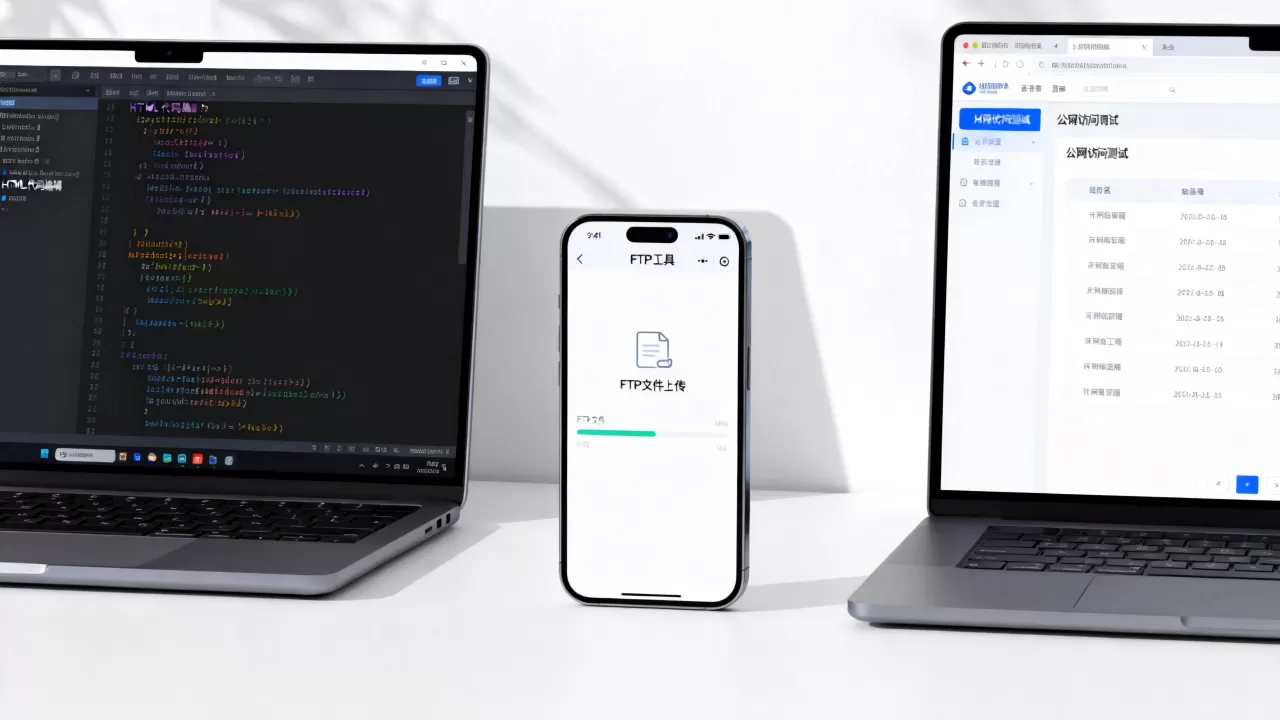
- 上传文件:使用FTP工具(如FileZilla)或服务商提供的控制面板,将本地HTML文件上传至服务器的
wwwroot或public_html目录。 - 配置DNS:在域名注册商处设置A记录,指向服务器的IP地址,实现域名到IP的映射。
常见静态托管平台对比
| 平台类型 | 适用场景 | 成本估算 | 技术门槛 |
|---|---|---|---|
| 传统虚拟主机 | 小型企业展示站 | 每年100-300元 | 低 |
| 云服务器 | 中大型企业官网 | 每年500-2000元 | 中 |
| 静态CDN托管 | 个人作品集、文档站 | 免费-每月几元 | 低 |
解决“怎么做成网站”的技术细节
仅仅上传文件是不够的,现代网站对性能、兼容性和SEO有严格要求,你需要对原始的HTML代码进行优化,以确保它在不同设备和搜索引擎面前表现良好。
HTML5语义化与响应式设计
2026年的搜索引擎算法更加智能,它优先识别语义化的HTML结构,使用<header>、<nav>、<article>、<footer>等标签替代无意义的<div>
,有助于搜索引擎理解页面结构。
必须引入响应式设计,通过CSS媒体查询(Media Queries)或Flexbox/Grid布局,确保页面在手机、平板和桌面端都能正常显示,如果页面在移动端无法浏览,百度等搜索引擎会大幅降低其排名。
添加必要的交互与动态功能
纯静态HTML页面是“死”的,无法处理用户输入,如果你需要表单提交、用户登录或数据展示,需要引入后端技术或第三方服务。
- 前端交互:使用JavaScript处理页面内的动画、弹窗和局部刷新,提升用户体验。
- 后端服务:如果需要存储用户数据,需搭建Node.js、Python或PHP后端,并连接数据库。
- 第三方集成:对于评论、在线客服等功能,可直接嵌入SaaS服务代码,无需自建后端。
行业共识认为,对于大多数中小企业官网,采用“静态前端+Serverless后端”的架构已成为主流趋势,这种架构既保留了静态页面的加载速度优势,又具备了动态交互能力。
SEO基础优化与内容填充
有了网站结构,还需要填充内容,搜索引擎喜欢原创、高质量、结构清晰的内容。
- Title标签:每个页面必须有唯一的
,包含核心关键词。</li> <li><b>Meta描述</b>:编写吸引人的摘要,提高点击率。</li> <li><b>图片Alt属性</b>:为所有图片添加描述性文字,既利于无障碍访问,也有助于图片搜索排名。</li> <li><b>内链建设</b>:在文章之间建立合理的内部链接,提升页面权重传递。</li> </ol> <p>据统计,多数情况下,拥有完善SEO基础设置的网站,其自然流量增长速度是未优化网站的3倍以上。</p> <h3>常见问题解答</h3> <h2><span class="wpcom_tag_link"><a href="https://test.idctop.com/article/tag/html%e9%a1%b5%e9%9d%a2%e6%80%8e%e4%b9%88%e5%81%9a%e6%88%90%e7%bd%91%e7%ab%99" title="html页面怎么做成网站" target="_blank">html页面怎么做成网站</a></span>常见问题</h2> <p style="text-align:center"><img decoding="async" src="https://test.idctop.com/wp-content/uploads/2026/06/jimeng_20260603030115_dc1661fd.webp" alt="html页面怎么做成网站?如何将静态页面发布到公网" title="html页面怎么做成网站?如何将静态页面发布到公网" /></p> <h3>静态HTML网站适合做什么类型的项目?</h3> <p>静态HTML网站非常适合个人作品集、企业宣传页、产品落地页和技术文档站,这类项目内容更新频率低,对交互要求不高,但追求加载速度和安全性,由于没有数据库,黑客难以通过SQL注入攻击,维护成本极低,对于初创公司或自由职业者,这是性价比最高的起步方案。</p> <h3>为什么我的HTML页面上传后无法访问?</h3> <p>无法访问通常由以下三个原因导致:</p> <ol> <li><b>文件路径错误</b>:服务器可能找不到默认的<code>index.html</code>,检查文件名是否拼写正确,或确认服务器配置是否指向了正确的目录。</li> <li><b>权限问题</b>:上传文件的权限可能被设置为不可读,需将文件权限修改为644或755。</li> <li><b>DNS未生效</b>:域名解析可能需要24-48小时全球生效,期间可通过Ping命令测试IP连通性。</li> </ol> <h3>从HTML到网站需要多少费用?</h3> <p>费用取决于你选择的托管方式和域名策略。</p> <ul> <li><b>最低成本方案</b>:域名年费约50-100元,使用GitHub Pages或Cloudflare Pages免费托管,总成本仅域名费用。</li> <li><b>标准企业方案</b>:域名+虚拟主机,年费约200-500元,包含基础技术支持。</li> <li><b>高性能方案</b>:云服务器+CDN加速+SSL证书,年费约1000-3000元,适合高流量网站。</li> </ul> <p>对于预算有限的个人开发者,利用免费静态托管服务是最佳选择,随着业务增长,再逐步迁移至付费云服务器,以平衡成本与性能。</p> <p>将HTML页面转化为网站,本质上是技术整合的过程,从本地文件到全球可访问的服务,每一步都需要严谨的配置,掌握域名解析、服务器部署和基础SEO优化,你就能构建出一个专业、高效且易于维护的网站。</p> <div class="entry-copyright"><p>首发原创文章,作者:王坚,如若转载,请注明出处:https://test.idctop.com/article/323023.html</p></div> </div> <div class="entry-tag"><a href="https://test.idctop.com/article/tag/html%e9%a1%b5%e9%9d%a2%e6%80%8e%e4%b9%88%e5%81%9a%e6%88%90%e7%bd%91%e7%ab%99" rel="tag">html页面怎么做成网站</a><a href="https://test.idctop.com/article/tag/%e5%85%8d%e8%b4%b9%e5%b0%86html%e9%a1%b5%e9%9d%a2%e9%83%a8%e7%bd%b2%e5%88%b0%e5%85%ac%e7%bd%91" rel="tag">免费将html页面部署到公网</a><a href="https://test.idctop.com/article/tag/%e5%a6%82%e4%bd%95%e5%b0%86%e9%9d%99%e6%80%81%e9%a1%b5%e9%9d%a2%e5%8f%91%e5%b8%83%e5%88%b0%e5%85%ac%e7%bd%91" rel="tag">如何将静态页面发布到公网</a><a href="https://test.idctop.com/article/tag/%e9%9d%99%e6%80%81%e7%bd%91%e7%ab%99%e6%90%ad%e5%bb%ba%e6%95%99%e7%a8%8b" rel="tag">静态网站搭建教程</a></div> <div class="entry-action"> <div class="btn-zan" data-id="323023"><i class="wpcom-icon wi"><svg aria-hidden="true"><use xlink:href="#wi-thumb-up-fill"></use></svg></i> 赞 <span class="entry-action-num">(0)</span></div> </div> <div class="entry-bar"> <div class="entry-bar-inner"> <div class="entry-bar-info entry-bar-info2"> <div class="info-item meta"> <a class="meta-item" href="#comments"><i class="wpcom-icon wi"><svg aria-hidden="true"><use xlink:href="#wi-comment"></use></svg></i> <span class="data">0</span></a> </div> <div class="info-item share"> <a class="meta-item mobile j-mobile-share" href="javascript:;" data-id="323023" data-qrcode="https://test.idctop.com/article/323023.html"> <i class="wpcom-icon wi"><svg aria-hidden="true"><use xlink:href="#wi-share"></use></svg></i> 生成海报 </a> <a class="meta-item wechat" data-share="wechat" target="_blank" rel="nofollow noopener noreferrer" href="#"> <i class="wpcom-icon wi"><svg aria-hidden="true"><use xlink:href="#wi-wechat"></use></svg></i> </a> <a class="meta-item weibo" data-share="weibo" target="_blank" rel="nofollow noopener noreferrer" href="#"> <i class="wpcom-icon wi"><svg aria-hidden="true"><use xlink:href="#wi-weibo"></use></svg></i> </a> <a class="meta-item qq" data-share="qq" target="_blank" rel="nofollow noopener noreferrer" href="#"> <i class="wpcom-icon wi"><svg aria-hidden="true"><use xlink:href="#wi-qq"></use></svg></i> </a> </div> <div class="info-item act"> <a href="javascript:;" id="j-reading"><i class="wpcom-icon wi"><svg aria-hidden="true"><use xlink:href="#wi-article"></use></svg></i></a> </div> </div> </div> </div> </div> <div class="entry-author"> <h3 class="entry-author-title">关于作者</h3> <div class="entry-author-inner"> <div class="entry-author-avatar"> <a class="avatar j-user-card" href="https://test.idctop.com/article/author/adminzy" target="_blank" data-user="1"><img alt='王坚' src='https://gravatar.loli.net/avatar/6fefc8e9e4992b14f0fd2cdc39060fcf933683eaf903ad418f3f3ea266829de2?s=120&d=mm&r=g' srcset='https://gravatar.loli.net/avatar/6fefc8e9e4992b14f0fd2cdc39060fcf933683eaf903ad418f3f3ea266829de2?s=240&d=mm&r=g 2x' class='avatar avatar-120 photo' height='120' width='120' decoding='async'/></a> </div> <div class="entry-author-content"> <div class="entry-author-info"> <h4 class="entry-author-name"> <a class="j-user-card" href="https://test.idctop.com/article/author/adminzy" target="_blank" data-user="1">王坚</a> </h4> <div class="entry-author-action"> </div> </div> <div class="entry-author-description">计算机分布式系统硕士,10 年云原生存储与数据库研发经验,曾任头部云厂商数据库实验室核心研究员,持有 20 余项存储内核专利,CNCF 云原生讲师,常年受邀出席 KubeCon、数据库技术大会,多篇行业白皮书联合撰稿人,技术成果获得多家头部互联网厂商技术团队落地验证。</div> </div> </div> </div> <div class="entry-page"> <div class="entry-page-prev"> <img src="https://test.idctop.com/wp-content/uploads/2026/06/20260603030037178042683777001-480x300.jpg" alt="cdn牌照方有哪些,cdn牌照申请流程" decoding="async" loading="lazy"> <a href="https://test.idctop.com/article/323020.html" title="cdn牌照方有哪些,cdn牌照申请流程" rel="prev"> <span>cdn牌照方有哪些,cdn牌照申请流程</span> </a> <div class="entry-page-info"> <span class="pull-left"><i class="wpcom-icon wi"><svg aria-hidden="true"><use xlink:href="#wi-arrow-left-double"></use></svg></i> 上一篇</span> <span class="pull-right">2026年6月3日 03:01</span> </div> </div> <div class="entry-page-next"> <img src="https://test.idctop.com/wp-content/uploads/2026/06/jimeng_20260603030123_4961343d-480x300.webp" alt="Appium自动化测试模块怎么用?Android自动化测试框架有哪些" decoding="async" loading="lazy"> <a href="https://test.idctop.com/article/323027.html" title="Appium自动化测试模块怎么用?Android自动化测试框架有哪些" rel="next"> <span>Appium自动化测试模块怎么用?Android自动化测试框架有哪些</span> </a> <div class="entry-page-info"> <span class="pull-right">下一篇 <i class="wpcom-icon wi"><svg aria-hidden="true"><use xlink:href="#wi-arrow-right-double"></use></svg></i></span> <span class="pull-left">2026年6月3日 03:01</span> </div> </div> </div> <div class="entry-related-posts"> <h3 class="entry-related-title">相关推荐</h3><ul class="entry-related cols-3 post-loop post-loop-default"><li class="item"> <div class="item-img"> <a class="item-img-inner" href="https://test.idctop.com/article/408303.html" title="阿里云轻量应用服务器镜像怎么选?新手建站服务器镜像推荐" target="_blank" rel="bookmark"> <img width="480" height="300" src="https://test.idctop.com/wp-content/uploads/2026/06/jimeng_20260621203456_030d715f-480x300.webp" class="attachment-default size-default wp-post-image" alt="阿里云轻量应用服务器镜像怎么选?新手建站服务器镜像推荐" decoding="async" fetchpriority="high" /> </a> <a class="item-category" href="https://test.idctop.com/article/category/kd" target="_blank">网络与线路</a> </div> <div class="item-content"> <h3 class="item-title"> <a href="https://test.idctop.com/article/408303.html" target="_blank" rel="bookmark"> 阿里云轻量应用服务器镜像怎么选?新手建站服务器镜像推荐 </a> </h3> <div class="item-excerpt"> <p>对于绝大多数个人开发者、小型企业建站及轻量级应用部署,首选官方提供的“WordPress”或“LAMP/LNMP”一键安装包镜像;若追求极致性能与定制化,建议选择“Ubuntu 22.04 LTS”或“Debian 12”纯净版镜像并自行配置环境,阿里云轻量应用服务器(Simple Application Se……</p> </div> <div class="item-meta"> <span class="item-meta-li date">2026年6月21日</span> <div class="item-meta-right"> <span class="item-meta-li views" title="阅读数"><i class="wpcom-icon wi"><svg aria-hidden="true"><use xlink:href="#wi-eye"></use></svg></i>37</span><span class="item-meta-li likes" title="点赞数"><i class="wpcom-icon wi"><svg aria-hidden="true"><use xlink:href="#wi-thumb-up"></use></svg></i>0</span><a class="item-meta-li comments" href="https://test.idctop.com/article/408303.html#comments" target="_blank" title="评论数"><i class="wpcom-icon wi"><svg aria-hidden="true"><use xlink:href="#wi-comment"></use></svg></i>0</a><span class="item-meta-li stars" title="收藏数"><i class="wpcom-icon wi"><svg aria-hidden="true"><use xlink:href="#wi-star"></use></svg></i>0</span> </div> </div> </div> </li> <li class="item"> <div class="item-img"> <a class="item-img-inner" href="https://test.idctop.com/article/73904.html" title="带宽大小怎么选择?服务器带宽多少合适?" target="_blank" rel="bookmark"> <img width="480" height="300" src="https://test.idctop.com/wp-content/uploads/2026/03/20260308023659177290861924515-480x300.jpg" class="attachment-default size-default wp-post-image" alt="带宽大小怎么选择?服务器带宽多少合适?" decoding="async" /> </a> <a class="item-category" href="https://test.idctop.com/article/category/kd" target="_blank">网络与线路</a> </div> <div class="item-content"> <h3 class="item-title"> <a href="https://test.idctop.com/article/73904.html" target="_blank" rel="bookmark"> 带宽大小怎么选择?服务器带宽多少合适? </a> </h3> <div class="item-excerpt"> <p>选择带宽大小的核心标准在于“匹配业务峰值并发量与页面体积”,而非单纯追求大数值,最科学的计算公式为:带宽(Mbps)=(平均页面大小×峰值并发用户数×8)÷1024,再预留20%至30%的冗余空间以应对突发流量, 对于绝大多数企业展示型网站,3M至5M带宽足以支撑日常运营;而对于电商、视频流媒体或高并发业务,1……</p> </div> <div class="item-meta"> <span class="item-meta-li date">2026年3月8日</span> <div class="item-meta-right"> <span class="item-meta-li views" title="阅读数"><i class="wpcom-icon wi"><svg aria-hidden="true"><use xlink:href="#wi-eye"></use></svg></i>163</span><span class="item-meta-li likes" title="点赞数"><i class="wpcom-icon wi"><svg aria-hidden="true"><use xlink:href="#wi-thumb-up"></use></svg></i>0</span><a class="item-meta-li comments" href="https://test.idctop.com/article/73904.html#comments" target="_blank" title="评论数"><i class="wpcom-icon wi"><svg aria-hidden="true"><use xlink:href="#wi-comment"></use></svg></i>0</a><span class="item-meta-li stars" title="收藏数"><i class="wpcom-icon wi"><svg aria-hidden="true"><use xlink:href="#wi-star"></use></svg></i>0</span> </div> </div> </div> </li> <li class="item"> <div class="item-img"> <a class="item-img-inner" href="https://test.idctop.com/article/387141.html" title="IDC机房VR培训应用真的有用吗?VR虚拟仿真技术有哪些" target="_blank" rel="bookmark"> <img width="480" height="300" src="https://test.idctop.com/wp-content/uploads/2026/06/jimeng_20260616032530_3882086b-480x300.webp" class="attachment-default size-default wp-post-image" alt="IDC机房VR培训应用真的有用吗?VR虚拟仿真技术有哪些" decoding="async" loading="lazy" /> </a> <a class="item-category" href="https://test.idctop.com/article/category/kd" target="_blank">网络与线路</a> </div> <div class="item-content"> <h3 class="item-title"> <a href="https://test.idctop.com/article/387141.html" target="_blank" rel="bookmark"> IDC机房VR培训应用真的有用吗?VR虚拟仿真技术有哪些 </a> </h3> <div class="item-excerpt"> <p>IDC机房VR培训通过高保真虚拟环境模拟真实故障,将培训成本降低约70%并实现零风险实操,是目前解决数据中心运维人员短缺与技能断层问题的最优解,数据中心作为数字经济的底座,其运维复杂度正呈指数级上升,传统的“师带徒”或纸质手册培训模式,不仅效率低下,更无法还原高压、高危的真实作业场景,虚拟现实(VR)技术介入后……</p> </div> <div class="item-meta"> <span class="item-meta-li date">2026年6月16日</span> <div class="item-meta-right"> <span class="item-meta-li views" title="阅读数"><i class="wpcom-icon wi"><svg aria-hidden="true"><use xlink:href="#wi-eye"></use></svg></i>24</span><span class="item-meta-li likes" title="点赞数"><i class="wpcom-icon wi"><svg aria-hidden="true"><use xlink:href="#wi-thumb-up"></use></svg></i>0</span><a class="item-meta-li comments" href="https://test.idctop.com/article/387141.html#comments" target="_blank" title="评论数"><i class="wpcom-icon wi"><svg aria-hidden="true"><use xlink:href="#wi-comment"></use></svg></i>0</a><span class="item-meta-li stars" title="收藏数"><i class="wpcom-icon wi"><svg aria-hidden="true"><use xlink:href="#wi-star"></use></svg></i>0</span> </div> </div> </div> </li> <li class="item"> <div class="item-img"> <a class="item-img-inner" href="https://test.idctop.com/article/133269.html" title="广州GPU服务器网页打开不了怎么办?原因及解决方法详解" target="_blank" rel="bookmark"> <img width="480" height="300" src="https://test.idctop.com/wp-content/uploads/2026/03/20260328185210177469513033314-480x300.jpg" class="attachment-default size-default wp-post-image" alt="广州GPU服务器网页打开不了怎么办?原因及解决方法详解" decoding="async" loading="lazy" /> </a> <a class="item-category" href="https://test.idctop.com/article/category/kd" target="_blank">网络与线路</a> </div> <div class="item-content"> <h3 class="item-title"> <a href="https://test.idctop.com/article/133269.html" target="_blank" rel="bookmark"> 广州GPU服务器网页打开不了怎么办?原因及解决方法详解 </a> </h3> <div class="item-excerpt"> <p>广州GPU服务器网页无法访问,通常由网络配置错误、安全组端口未开放、服务器资源过载或硬件故障引起,其中网络与端口配置问题占比超过70%,通过系统化的排查流程,绝大多数访问故障可在30分钟内自行解决,无需等待运维人员介入, 核心排查路径:从网络链路到服务器内部当遇到广州GPU服务器网页打开不了的情况时,切勿盲目重……</p> </div> <div class="item-meta"> <span class="item-meta-li date">2026年3月28日</span> <div class="item-meta-right"> <span class="item-meta-li views" title="阅读数"><i class="wpcom-icon wi"><svg aria-hidden="true"><use xlink:href="#wi-eye"></use></svg></i>110</span><span class="item-meta-li likes" title="点赞数"><i class="wpcom-icon wi"><svg aria-hidden="true"><use xlink:href="#wi-thumb-up"></use></svg></i>0</span><a class="item-meta-li comments" href="https://test.idctop.com/article/133269.html#comments" target="_blank" title="评论数"><i class="wpcom-icon wi"><svg aria-hidden="true"><use xlink:href="#wi-comment"></use></svg></i>0</a><span class="item-meta-li stars" title="收藏数"><i class="wpcom-icon wi"><svg aria-hidden="true"><use xlink:href="#wi-star"></use></svg></i>0</span> </div> </div> </div> </li> <li class="item"> <div class="item-img"> <a class="item-img-inner" href="https://test.idctop.com/article/133753.html" title="广州GPU服务器秘钥类型有哪些?GPU云服务器密钥选择指南" target="_blank" rel="bookmark"> <img width="480" height="300" src="https://test.idctop.com/wp-content/uploads/2026/03/20260328220711177470683135979-480x300.jpg" class="attachment-default size-default wp-post-image" alt="广州GPU服务器秘钥类型有哪些?GPU云服务器密钥选择指南" decoding="async" loading="lazy" /> </a> <a class="item-category" href="https://test.idctop.com/article/category/kd" target="_blank">网络与线路</a> </div> <div class="item-content"> <h3 class="item-title"> <a href="https://test.idctop.com/article/133753.html" target="_blank" rel="bookmark"> 广州GPU服务器秘钥类型有哪些?GPU云服务器密钥选择指南 </a> </h3> <div class="item-excerpt"> <p>在广州地区部署高性能计算集群,选择正确的秘钥类型是保障GPU服务器数据安全的第一道防线,直接决定了业务系统的生存能力与合规性,广州作为华南地区的数据中心枢纽,其GPU服务器集群承载着大量人工智能训练、渲染及科学计算任务,数据资产价值极高,秘钥管理并非简单的密码设置,而是涉及加密算法、存储介质及权限控制的综合安全……</p> </div> <div class="item-meta"> <span class="item-meta-li date">2026年3月28日</span> <div class="item-meta-right"> <span class="item-meta-li views" title="阅读数"><i class="wpcom-icon wi"><svg aria-hidden="true"><use xlink:href="#wi-eye"></use></svg></i>83</span><span class="item-meta-li likes" title="点赞数"><i class="wpcom-icon wi"><svg aria-hidden="true"><use xlink:href="#wi-thumb-up"></use></svg></i>0</span><a class="item-meta-li comments" href="https://test.idctop.com/article/133753.html#comments" target="_blank" title="评论数"><i class="wpcom-icon wi"><svg aria-hidden="true"><use xlink:href="#wi-comment"></use></svg></i>0</a><span class="item-meta-li stars" title="收藏数"><i class="wpcom-icon wi"><svg aria-hidden="true"><use xlink:href="#wi-star"></use></svg></i>0</span> </div> </div> </div> </li> <li class="item"> <div class="item-img"> <a class="item-img-inner" href="https://test.idctop.com/article/323527.html" title="互联网区块链安全计算校验是什么?区块链安全计算校验原理" target="_blank" rel="bookmark"> <img width="480" height="300" src="https://test.idctop.com/wp-content/uploads/2026/06/jimeng_20260603053955_7566ba52-480x300.webp" class="attachment-default size-default wp-post-image" alt="互联网区块链安全计算校验是什么?区块链安全计算校验原理" decoding="async" loading="lazy" /> </a> <a class="item-category" href="https://test.idctop.com/article/category/kd" target="_blank">网络与线路</a> </div> <div class="item-content"> <h3 class="item-title"> <a href="https://test.idctop.com/article/323527.html" target="_blank" rel="bookmark"> 互联网区块链安全计算校验是什么?区块链安全计算校验原理 </a> </h3> <div class="item-excerpt"> <p>互联网区块链安全计算校验的核心在于通过零知识证明与多方安全计算,在数据不可见的前提下完成可信验证,从而彻底解决隐私泄露与数据孤岛矛盾,实现“数据可用不可见”的安全闭环,传统的数据交互模式往往依赖中心化机构进行信任背书,这种模式在2026年的数字生态中已显露出明显的单点故障风险,随着Web3.0技术的深化,区块链……</p> </div> <div class="item-meta"> <span class="item-meta-li date">2026年6月3日</span> <div class="item-meta-right"> <span class="item-meta-li views" title="阅读数"><i class="wpcom-icon wi"><svg aria-hidden="true"><use xlink:href="#wi-eye"></use></svg></i>29</span><span class="item-meta-li likes" title="点赞数"><i class="wpcom-icon wi"><svg aria-hidden="true"><use xlink:href="#wi-thumb-up"></use></svg></i>0</span><a class="item-meta-li comments" href="https://test.idctop.com/article/323527.html#comments" target="_blank" title="评论数"><i class="wpcom-icon wi"><svg aria-hidden="true"><use xlink:href="#wi-comment"></use></svg></i>0</a><span class="item-meta-li stars" title="收藏数"><i class="wpcom-icon wi"><svg aria-hidden="true"><use xlink:href="#wi-star"></use></svg></i>0</span> </div> </div> </div> </li> <li class="item item-no-thumb"> <div class="item-content"> <h3 class="item-title"> <a href="https://test.idctop.com/article/333415.html" target="_blank" rel="bookmark"> html表单如何加入数据库?php向mysql数据库插入数据 </a> </h3> <div class="item-excerpt"> <p>将HTML表单数据存入数据库的核心在于建立后端脚本(如PHP、Node.js或Python)作为桥梁,通过HTTP POST请求接收前端数据,并使用SQL语句安全地写入数据库,严禁直接拼接用户输入以防注入攻击,在数字化办公和Web开发日益普及的今天,很多初学者或小型项目开发者都面临一个基础但至关重要的问题:如何……</p> </div> <div class="item-meta"> <a class="item-meta-li category" href="https://test.idctop.com/article/category/kd" target="_blank">网络与线路</a> <span class="item-meta-li date">2026年6月5日</span> <div class="item-meta-right"> <span class="item-meta-li views" title="阅读数"><i class="wpcom-icon wi"><svg aria-hidden="true"><use xlink:href="#wi-eye"></use></svg></i>26</span><span class="item-meta-li likes" title="点赞数"><i class="wpcom-icon wi"><svg aria-hidden="true"><use xlink:href="#wi-thumb-up"></use></svg></i>0</span><a class="item-meta-li comments" href="https://test.idctop.com/article/333415.html#comments" target="_blank" title="评论数"><i class="wpcom-icon wi"><svg aria-hidden="true"><use xlink:href="#wi-comment"></use></svg></i>1</a><span class="item-meta-li stars" title="收藏数"><i class="wpcom-icon wi"><svg aria-hidden="true"><use xlink:href="#wi-star"></use></svg></i>0</span> </div> </div> </div> </li> <li class="item"> <div class="item-img"> <a class="item-img-inner" href="https://test.idctop.com/article/411544.html" title="OpenStack和VMware本质区别是什么?OpenStack和VMware对比" target="_blank" rel="bookmark"> <img width="480" height="300" src="https://test.idctop.com/wp-content/uploads/2026/06/jimeng_20260622155903_56d7a30f-480x300.webp" class="attachment-default size-default wp-post-image" alt="OpenStack和VMware本质区别是什么?OpenStack和VMware对比" decoding="async" loading="lazy" /> </a> <a class="item-category" href="https://test.idctop.com/article/category/kd" target="_blank">网络与线路</a> </div> <div class="item-content"> <h3 class="item-title"> <a href="https://test.idctop.com/article/411544.html" target="_blank" rel="bookmark"> OpenStack和VMware本质区别是什么?OpenStack和VMware对比 </a> </h3> <div class="item-excerpt"> <p>OpenStack和VMware的本质区别在于:前者是开源、基于Linux的虚拟化平台,强调灵活性与自主可控;后者是商业闭源软件,主打开箱即用与极致稳定性,选择哪一款,取决于你的团队技术能力、预算结构以及对数据主权的需求,在云计算领域,OpenStack和VMware常被拿来比较,但它们其实代表了两种完全不同的……</p> </div> <div class="item-meta"> <span class="item-meta-li date">2026年6月22日</span> <div class="item-meta-right"> <span class="item-meta-li views" title="阅读数"><i class="wpcom-icon wi"><svg aria-hidden="true"><use xlink:href="#wi-eye"></use></svg></i>29</span><span class="item-meta-li likes" title="点赞数"><i class="wpcom-icon wi"><svg aria-hidden="true"><use xlink:href="#wi-thumb-up"></use></svg></i>0</span><a class="item-meta-li comments" href="https://test.idctop.com/article/411544.html#comments" target="_blank" title="评论数"><i class="wpcom-icon wi"><svg aria-hidden="true"><use xlink:href="#wi-comment"></use></svg></i>0</a><span class="item-meta-li stars" title="收藏数"><i class="wpcom-icon wi"><svg aria-hidden="true"><use xlink:href="#wi-star"></use></svg></i>0</span> </div> </div> </div> </li> <li class="item"> <div class="item-img"> <a class="item-img-inner" href="https://test.idctop.com/article/440657.html" title="Access数据库到底有什么用?Access数据库适合什么场景" target="_blank" rel="bookmark"> <img width="480" height="300" src="https://test.idctop.com/wp-content/uploads/2026/07/jimeng_20260701051150_90e47303-480x300.webp" class="attachment-default size-default wp-post-image" alt="Access数据库到底有什么用?Access数据库适合什么场景" decoding="async" loading="lazy" /> </a> <a class="item-category" href="https://test.idctop.com/article/category/kd" target="_blank">网络与线路</a> </div> <div class="item-content"> <h3 class="item-title"> <a href="https://test.idctop.com/article/440657.html" target="_blank" rel="bookmark"> Access数据库到底有什么用?Access数据库适合什么场景 </a> </h3> <div class="item-excerpt"> <p>Access数据库的核心价值在于为中小团队提供零成本、易上手且功能强大的桌面级数据管理方案,它填补了Excel处理复杂关系型数据与SQL Server等企业级数据库之间的巨大空白,很多人对数据库的印象还停留在“程序员专属”或“昂贵软件”上,但实际上,Access是微软Office家族中极具亲和力的成员,它不像E……</p> </div> <div class="item-meta"> <span class="item-meta-li date">2026年7月1日</span> <div class="item-meta-right"> <span class="item-meta-li views" title="阅读数"><i class="wpcom-icon wi"><svg aria-hidden="true"><use xlink:href="#wi-eye"></use></svg></i>24</span><span class="item-meta-li likes" title="点赞数"><i class="wpcom-icon wi"><svg aria-hidden="true"><use xlink:href="#wi-thumb-up"></use></svg></i>0</span><a class="item-meta-li comments" href="https://test.idctop.com/article/440657.html#comments" target="_blank" title="评论数"><i class="wpcom-icon wi"><svg aria-hidden="true"><use xlink:href="#wi-comment"></use></svg></i>0</a><span class="item-meta-li stars" title="收藏数"><i class="wpcom-icon wi"><svg aria-hidden="true"><use xlink:href="#wi-star"></use></svg></i>0</span> </div> </div> </div> </li> <li class="item"> <div class="item-img"> <a class="item-img-inner" href="https://test.idctop.com/article/142101.html" title="广州drop数据库数据恢复哪家便宜?广州数据恢复价格多少" target="_blank" rel="bookmark"> <img width="480" height="300" src="https://test.idctop.com/wp-content/uploads/2026/03/20260331143408177493884818172-480x300.jpg" class="attachment-default size-default wp-post-image" alt="广州drop数据库数据恢复哪家便宜?广州数据恢复价格多少" decoding="async" loading="lazy" /> </a> <a class="item-category" href="https://test.idctop.com/article/category/kd" target="_blank">网络与线路</a> </div> <div class="item-content"> <h3 class="item-title"> <a href="https://test.idctop.com/article/142101.html" target="_blank" rel="bookmark"> 广州drop数据库数据恢复哪家便宜?广州数据恢复价格多少 </a> </h3> <div class="item-excerpt"> <p>在广州寻找因误操作执行drop命令而导致数据库丢失的恢复服务,最具性价比的方案并非单纯寻找报价最低的店铺,而是选择具备底层解析能力、能提供免费检测且按结果付费的专业数据恢复公司,盲目追求低价往往会导致数据被二次覆盖,造成永久丢失,最终得不偿失,真正的“便宜”,是建立在成功恢复率高、透明报价无隐形消费的基础之上……</p> </div> <div class="item-meta"> <span class="item-meta-li date">2026年3月31日</span> <div class="item-meta-right"> <span class="item-meta-li views" title="阅读数"><i class="wpcom-icon wi"><svg aria-hidden="true"><use xlink:href="#wi-eye"></use></svg></i>85</span><span class="item-meta-li likes" title="点赞数"><i class="wpcom-icon wi"><svg aria-hidden="true"><use xlink:href="#wi-thumb-up"></use></svg></i>0</span><a class="item-meta-li comments" href="https://test.idctop.com/article/142101.html#comments" target="_blank" title="评论数"><i class="wpcom-icon wi"><svg aria-hidden="true"><use xlink:href="#wi-comment"></use></svg></i>0</a><span class="item-meta-li stars" title="收藏数"><i class="wpcom-icon wi"><svg aria-hidden="true"><use xlink:href="#wi-star"></use></svg></i>0</span> </div> </div> </div> </li> </ul> </div> <div id="comments" class="entry-comments"> <div id="respond" class="comment-respond"> <h3 id="reply-title" class="comment-reply-title">发表回复 <small><a rel="nofollow" id="cancel-comment-reply-link" href="/article/323023.html#respond" style="display:none;"><i class="wpcom-icon wi"><svg aria-hidden="true"><use xlink:href="#wi-close"></use></svg></i></a></small></h3><form action="https://test.idctop.com/wp-comments-post.php" method="post" id="commentform" class="comment-form"><p class="comment-notes"><span id="email-notes">您的邮箱地址不会被公开。</span> <span class="required-field-message">必填项已用 <span class="required">*</span> 标注</span></p><div class="comment-form-comment"><textarea id="comment" name="comment" class="required" rows="4" placeholder="写下你的评论…"></textarea><div class="comment-form-smile j-smilies" data-target="#comment"><i class="wpcom-icon wi smile-icon"><svg aria-hidden="true"><use xlink:href="#wi-emotion"></use></svg></i></div></div><div class="comment-form-author"><label for="author"><span class="required">*</span>昵称:</label><input id="author" name="author" type="text" value="" size="30" class="required"></div> <div class="comment-form-email"><label for="email"><span class="required">*</span>邮箱:</label><input id="email" name="email" type="text" value="" class="required"></div> <div class="comment-form-url"><label for="url">网址:</label><input id="url" name="url" type="text" value="" size="30"></div> <label class="comment-form-cookies-consent"><input id="wp-comment-cookies-consent" name="wp-comment-cookies-consent" type="checkbox" value="yes"> 记住昵称、邮箱和网址,下次评论免输入</label> <div class="form-submit"><button name="submit" type="submit" id="submit" class="wpcom-btn btn-primary btn-xs submit">提交</button> <input type='hidden' name='comment_post_ID' value='323023' id='comment_post_ID' /> <input type='hidden' name='comment_parent' id='comment_parent' value='0' /> </div></form> </div><!-- #respond --> </div><!-- .comments-area --> </article> </main> <aside class="sidebar"> <div class="sbx-card"> <div class="sbx-hd"> <h3>最新发布</h3> </div> <div class="sbx-bd"> <a class="sbx-post nothumb" href="https://test.idctop.com/article/598238.html"> <span class="sbx-pinfo"> <span class="sbx-ptitle">阿里云 ECS 云服务器深度测评:性能、线路与价格全解析</span> <time class="sbx-pdate">8月24日</time> </span> </a> <a class="sbx-post" href="https://test.idctop.com/article/598204.html"> <span class="sbx-thumb"><img src="https://test.idctop.com/wp-content/uploads/2026/08/jimeng_20260824131216_67dd5e43-480x300.webp" alt="2k20手机版怎么连接服务器" loading="lazy"></span> <span class="sbx-pinfo"> <span class="sbx-ptitle">2k20手机版怎么连接服务器</span> <time class="sbx-pdate">8月24日</time> </span> </a> <a class="sbx-post" href="https://test.idctop.com/article/598202.html"> <span class="sbx-thumb"><img src="https://test.idctop.com/wp-content/uploads/2026/08/jimeng_20260824131204_64110949-480x300.webp" alt="csgo2西南服务器为什么一直没人玩?,怎么解决?" loading="lazy"></span> <span class="sbx-pinfo"> <span class="sbx-ptitle">csgo2西南服务器为什么一直没人玩?,怎么解决?</span> <time class="sbx-pdate">8月24日</time> </span> </a> <a class="sbx-post" href="https://test.idctop.com/article/598195.html"> <span class="sbx-thumb"><img src="https://test.idctop.com/wp-content/uploads/2026/08/jimeng_20260824130847_ce2c618d-480x300.webp" alt="t1便携式服务器监控不会看?,解决方法有哪些?" loading="lazy"></span> <span class="sbx-pinfo"> <span class="sbx-ptitle">t1便携式服务器监控不会看?,解决方法有哪些?</span> <time class="sbx-pdate">8月24日</time> </span> </a> <a class="sbx-post" href="https://test.idctop.com/article/598194.html"> <span class="sbx-thumb"><img src="https://test.idctop.com/wp-content/uploads/2026/08/jimeng_20260824130828_b0c63445-480x300.webp" alt="2d2t服务器进不去怎么办,原因是什么?" loading="lazy"></span> <span class="sbx-pinfo"> <span class="sbx-ptitle">2d2t服务器进不去怎么办,原因是什么?</span> <time class="sbx-pdate">8月24日</time> </span> </a> <a class="sbx-post" href="https://test.idctop.com/article/598187.html"> <span class="sbx-thumb"><img src="https://test.idctop.com/wp-content/uploads/2026/08/jimeng_20260824130544_2806321e-480x300.webp" alt="win7的wifi服务器未响应怎么办" loading="lazy"></span> <span class="sbx-pinfo"> <span class="sbx-ptitle">win7的wifi服务器未响应怎么办</span> <time class="sbx-pdate">8月24日</time> </span> </a> </div> </div> <div class="sbx-card"> <div class="sbx-tabs-hd"> <div class="sbx-tab on" data-i="0">云计算</div> <div class="sbx-tab" data-i="1">服务器测评</div> </div> <div class="sbx-bd"> <div class="sbx-tablist on" data-i="0"> <a class="sbx-trow" href="https://test.idctop.com/article/583824.html"> <span class="sbx-tthumb"><img src="https://test.idctop.com/wp-content/uploads/2026/08/jimeng_20260819222719_9209e063-480x300.webp" alt="服务器主机买哪个牌子好" loading="lazy"></span> <span class="sbx-pinfo"> <span class="sbx-ttitle">服务器主机买哪个牌子好</span> <time class="sbx-pdate">8月19日</time> </span> </a> <a class="sbx-trow" href="https://test.idctop.com/article/583736.html"> <span class="sbx-tthumb"><img src="https://test.idctop.com/wp-content/uploads/2026/08/jimeng_20260819215921_2b435695-480x300.webp" alt="服务器主机名和端口如何查" loading="lazy"></span> <span class="sbx-pinfo"> <span class="sbx-ttitle">服务器主机名和端口如何查</span> <time class="sbx-pdate">8月19日</time> </span> </a> <a class="sbx-trow" href="https://test.idctop.com/article/583732.html"> <span class="sbx-tthumb"><img src="https://test.idctop.com/wp-content/uploads/2026/08/jimeng_20260819215821_f57b072d-480x300.webp" alt="服务器主机买哪个好,哪个品牌性价比高更稳定可靠" loading="lazy"></span> <span class="sbx-pinfo"> <span class="sbx-ttitle">服务器主机买哪个好,哪个品牌性价比高更稳定可靠</span> <time class="sbx-pdate">8月19日</time> </span> </a> <a class="sbx-trow" href="https://test.idctop.com/article/583712.html"> <span class="sbx-tthumb"><img src="https://test.idctop.com/wp-content/uploads/2026/08/jimeng_20260819214800_4c8a3fd0-480x300.webp" alt="FTP服务器硬件到底怎么选,哪个牌子好?" loading="lazy"></span> <span class="sbx-pinfo"> <span class="sbx-ttitle">FTP服务器硬件到底怎么选,哪个牌子好?</span> <time class="sbx-pdate">8月19日</time> </span> </a> <a class="sbx-trow" href="https://test.idctop.com/article/583705.html"> <span class="sbx-tthumb"><img src="https://test.idctop.com/wp-content/uploads/2026/08/jimeng_20260819214620_e879443b-480x300.webp" alt="ftp服务器硬件搭建" loading="lazy"></span> <span class="sbx-pinfo"> <span class="sbx-ttitle">ftp服务器硬件搭建</span> <time class="sbx-pdate">8月19日</time> </span> </a> </div> <div class="sbx-tablist" data-i="1"> <a class="sbx-trow nothumb" href="https://test.idctop.com/article/598238.html"> <span class="sbx-pinfo"> <span class="sbx-ttitle">阿里云 ECS 云服务器深度测评:性能、线路与价格全解析</span> <time class="sbx-pdate">8月24日</time> </span> </a> <a class="sbx-trow" href="https://test.idctop.com/article/587008.html"> <span class="sbx-tthumb"><img src="https://test.idctop.com/wp-content/uploads/2026/08/jimeng_20260820205613_88517bf3-480x300.webp" alt="复古网站设计有哪些技巧?,怎么做出复古感?" loading="lazy"></span> <span class="sbx-pinfo"> <span class="sbx-ttitle">复古网站设计有哪些技巧?,怎么做出复古感?</span> <time class="sbx-pdate">8月20日</time> </span> </a> <a class="sbx-trow" href="https://test.idctop.com/article/586697.html"> <span class="sbx-tthumb"><img src="https://test.idctop.com/wp-content/uploads/2026/08/jimeng_20260820183716_f3052978-480x300.webp" alt="服务器容量用什么单位好,怎么选单位最好?" loading="lazy"></span> <span class="sbx-pinfo"> <span class="sbx-ttitle">服务器容量用什么单位好,怎么选单位最好?</span> <time class="sbx-pdate">8月20日</time> </span> </a> <a class="sbx-trow" href="https://test.idctop.com/article/586693.html"> <span class="sbx-tthumb"><img src="https://test.idctop.com/wp-content/uploads/2026/08/jimeng_20260820183504_bbfd39ac-480x300.webp" alt="服务器SSH密码如何获取,怎样查看服务器SSH密码?" loading="lazy"></span> <span class="sbx-pinfo"> <span class="sbx-ttitle">服务器SSH密码如何获取,怎样查看服务器SSH密码?</span> <time class="sbx-pdate">8月20日</time> </span> </a> <a class="sbx-trow" href="https://test.idctop.com/article/586685.html"> <span class="sbx-tthumb"><img src="https://test.idctop.com/wp-content/uploads/2026/08/jimeng_20260820183013_9aeaa669-480x300.webp" alt="分布式关系型数据库" loading="lazy"></span> <span class="sbx-pinfo"> <span class="sbx-ttitle">分布式关系型数据库</span> <time class="sbx-pdate">8月20日</time> </span> </a> </div> </div> </div> <div class="sbx-card"> <div class="sbx-hd"><h3>热门标签</h3></div> <div class="widget widget_tags"> <div class="tagcloud"> <a href="https://test.idctop.com/article/tag/%e6%9c%8d%e5%8a%a1%e5%99%a8%e9%80%89%e8%b4%ad%e6%8c%87%e5%8d%97" title="服务器选购指南">服务器选购指南</a><a href="https://test.idctop.com/article/tag/%e6%9c%8d%e5%8a%a1%e5%99%a8%e5%b8%a6%e5%ae%bd%e5%a4%9a%e5%b0%91%e5%90%88%e9%80%82" title="服务器带宽多少合适">服务器带宽多少合适</a><a href="https://test.idctop.com/article/tag/%e9%ab%98%e9%98%b2%e6%9c%8d%e5%8a%a1%e5%99%a8%e7%a7%9f%e7%94%a8%e4%bb%b7%e6%a0%bc" title="高防服务器租用价格">高防服务器租用价格</a><a href="https://test.idctop.com/article/tag/%e9%ab%98%e6%80%a7%e4%bb%b7%e6%af%94%e4%ba%91%e6%9c%8d%e5%8a%a1%e5%99%a8%e6%8e%a8%e8%8d%90" title="高性价比云服务器推荐">高性价比云服务器推荐</a><a href="https://test.idctop.com/article/tag/%e6%9c%8d%e5%8a%a1%e5%99%a8%e5%b8%a6%e5%ae%bd%e8%ae%a1%e7%ae%97%e6%96%b9%e6%b3%95" title="服务器带宽计算方法">服务器带宽计算方法</a><a href="https://test.idctop.com/article/tag/%e9%ab%98%e6%80%a7%e4%bb%b7%e6%af%94%e7%be%8e%e5%9b%bdvps%e6%8e%a8%e8%8d%90" title="高性价比美国VPS推荐">高性价比美国VPS推荐</a><a href="https://test.idctop.com/article/tag/%e6%b5%b7%e5%a4%96%e4%b8%89%e7%bd%91%e4%bc%98%e5%8c%96vps%e6%8e%a8%e8%8d%90" title="海外三网优化VPS推荐">海外三网优化VPS推荐</a><a href="https://test.idctop.com/article/tag/%e7%be%8e%e5%9b%bd%e4%be%bf%e5%ae%9cvps%e6%8e%a8%e8%8d%90" title="美国便宜VPS推荐">美国便宜VPS推荐</a><a href="https://test.idctop.com/article/tag/%e6%9c%8d%e5%8a%a1%e5%99%a8%e9%85%8d%e7%bd%ae%e6%8e%a8%e8%8d%90" title="服务器配置推荐">服务器配置推荐</a><a href="https://test.idctop.com/article/tag/%e6%9c%8d%e5%8a%a1%e5%99%a8%e5%93%81%e7%89%8c%e6%8e%a8%e8%8d%90" title="服务器品牌推荐">服务器品牌推荐</a><a href="https://test.idctop.com/article/tag/%e7%be%8e%e5%9b%bdvps%e6%8e%a8%e8%8d%90" title="美国VPS推荐">美国VPS推荐</a><a href="https://test.idctop.com/article/tag/%e9%ab%98%e9%98%b2%e6%9c%8d%e5%8a%a1%e5%99%a8%e7%a7%9f%e7%94%a8%e4%bb%b7%e6%a0%bc%e8%a1%a8" title="高防服务器租用价格表">高防服务器租用价格表</a><a href="https://test.idctop.com/article/tag/%e6%9c%8d%e5%8a%a1%e5%99%a8%e5%b8%a6%e5%ae%bd%e9%80%89%e6%8b%a9%e6%a0%87%e5%87%86" title="服务器带宽选择标准">服务器带宽选择标准</a><a href="https://test.idctop.com/article/tag/%e4%ba%91%e6%9c%8d%e5%8a%a1%e5%99%a8%e9%80%89%e8%b4%ad%e6%8c%87%e5%8d%97" title="云服务器选购指南">云服务器选购指南</a><a href="https://test.idctop.com/article/tag/%e9%ab%98%e6%80%a7%e4%bb%b7%e6%af%94%e6%9c%8d%e5%8a%a1%e5%99%a8%e6%8e%a8%e8%8d%90" title="高性价比服务器推荐">高性价比服务器推荐</a><a href="https://test.idctop.com/article/tag/%e5%9b%bd%e5%a4%96%e8%99%9a%e6%8b%9f%e4%b8%bb%e6%9c%ba%e6%8e%a8%e8%8d%90" title="国外虚拟主机推荐">国外虚拟主机推荐</a><a href="https://test.idctop.com/article/tag/%e6%9c%8d%e5%8a%a1%e5%99%a8%e9%85%8d%e7%bd%ae%e9%80%89%e6%8b%a9%e6%8c%87%e5%8d%97" title="服务器配置选择指南">服务器配置选择指南</a><a href="https://test.idctop.com/article/tag/%e6%9c%8d%e5%8a%a1%e5%99%a8ip%e5%9c%b0%e5%9d%80%e6%9f%a5%e8%af%a2%e6%96%b9%e6%b3%95" title="服务器IP地址查询方法">服务器IP地址查询方法</a> </div> </div> </div> </aside> <script> (function () { var h = document.querySelector('.sbx-tabs-hd'); if (!h) return; h.addEventListener('click', function (e) { var t = e.target.closest('.sbx-tab'); if (!t) return; h.querySelectorAll('.sbx-tab').forEach(function (x) { x.classList.remove('on'); }); t.classList.add('on'); var i = t.getAttribute('data-i'); document.querySelectorAll('.sbx-tablist').forEach(function (l) { l.classList.toggle('on', l.getAttribute('data-i') === i); }); }); })(); </script> </div> </div> <footer class="ft3" role="contentinfo"> <section class="ft3-cta"> <div class="container ft3-cta-inner"> <h2>让每一次服务器选择,都有真实数据可依</h2> <p>从真实购买测评到线路晚高峰实测,持续整理服务器、云服务与建站运维内容,帮你更高效地完成选型与部署。</p> <div class="ft3-cta-actions"> <a href="https://test.idctop.com/article/category/vps" class="ft3-btn ft3-btn-primary">浏览测评文章 →</a> <a href="https://test.idctop.com/vendor-join/" class="ft3-btn ft3-btn-outline">合作咨询</a> </div> </div> </section> <section class="ft3-assurance"> <div class="container"> <div class="ft3-strip"> <a href="https://test.idctop.com/article/category/vps" class="ft3-item"> <i><svg viewBox="0 0 24 24" fill="none" stroke="currentColor" stroke-width="2" stroke-linecap="round" stroke-linejoin="round"><polyline points="23 4 23 10 17 10"/><path d="M20.49 15a9 9 0 1 1-2.12-9.36L23 10"/></svg></i> <span><strong>持续更新</strong><em>测评内容与实测数据持续沉淀</em></span> </a> <a href="https://test.idctop.com/vendors/" class="ft3-item"> <i><svg viewBox="0 0 24 24" fill="none" stroke="currentColor" stroke-width="2" stroke-linecap="round" stroke-linejoin="round"><path d="M12 22s8-4 8-10V5l-8-3-8 3v7c0 6 8 10 8 10z"/></svg></i> <span><strong>真实测评</strong><em>真实下单,关注性能与价格</em></span> </a> <a href="https://test.idctop.com/vendors/" class="ft3-item"> <i><svg viewBox="0 0 24 24" fill="none" stroke="currentColor" stroke-width="2" stroke-linecap="round" stroke-linejoin="round"><polyline points="3 17 9 11 13 15 21 7"/><polyline points="15 7 21 7 21 13"/></svg></i> <span><strong>数据公开</strong><em>跑分、线路与晚高峰全部公开</em></span> </a> <a href="https://test.idctop.com/vendor-join/" class="ft3-item"> <i><svg viewBox="0 0 24 24" fill="none" stroke="currentColor" stroke-width="2" stroke-linecap="round" stroke-linejoin="round"><path d="M21 11.5a8.38 8.38 0 0 1-.9 3.8 8.5 8.5 0 0 1-7.6 4.7 8.38 8.38 0 0 1-3.8-.9L3 21l1.9-5.7a8.38 8.38 0 0 1-.9-3.8 8.5 8.5 0 0 1 4.7-7.6 8.38 8.38 0 0 1 3.8-.9h.5a8.48 8.48 0 0 1 8 8v.5z"/></svg></i> <span><strong>合作支持</strong><em>商家收录与商务合作快速响应</em></span> </a> </div> </div> </section> <section class="ft3-links"> <div class="container"> <div class="ft3-main"> <div class="ft3-company"> <a href="https://test.idctop.com/" class="ft3-brand-row"> <span class="ft3-brand-mark">简</span> <span class="ft3-brand-text"> <strong>简米科技</strong> <em>专注服务器与云服务真实测评</em> </span> </a> <p>围绕服务器测评、云服务器观察、建站运维与安全防护,持续输出清晰、实用、可检索的内容资料。</p> <div class="ft3-caps"> <span>✓ 真实购买实测</span> <span>✓ 公开测试数据</span> </div> </div> <div class="ft3-col"> <h3>网站导航</h3> <ul> <li><a href="https://test.idctop.com/">网站首页</a></li> <li><a href="https://test.idctop.com/article/category/vps">测评文章</a></li> <li><a href="https://test.idctop.com/vendors/">商家库</a></li> <li><a href="https://test.idctop.com/vendor-join/">商家入驻</a></li> </ul> </div> <div class="ft3-col"> <h3>内容分类</h3> <ul> <li><a href="https://test.idctop.com/article/category/cx">程序开发</a></li><li><a href="https://test.idctop.com/article/category/yjs">云计算</a></li><li><a href="https://test.idctop.com/article/category/yw">服务器运维</a></li><li><a href="https://test.idctop.com/article/category/kd">网络与线路</a></li> </ul> </div> <div class="ft3-col"> <h3>专题入口</h3> <ul> <li><a href="https://test.idctop.com/article/tag/%e6%9c%8d%e5%8a%a1%e5%99%a8%e9%80%89%e8%b4%ad%e6%8c%87%e5%8d%97">服务器选购指南</a></li><li><a href="https://test.idctop.com/article/tag/%e6%9c%8d%e5%8a%a1%e5%99%a8%e5%b8%a6%e5%ae%bd%e5%a4%9a%e5%b0%91%e5%90%88%e9%80%82">服务器带宽多少合适</a></li><li><a href="https://test.idctop.com/article/tag/%e9%ab%98%e9%98%b2%e6%9c%8d%e5%8a%a1%e5%99%a8%e7%a7%9f%e7%94%a8%e4%bb%b7%e6%a0%bc">高防服务器租用价格</a></li><li><a href="https://test.idctop.com/article/tag/%e9%ab%98%e6%80%a7%e4%bb%b7%e6%af%94%e4%ba%91%e6%9c%8d%e5%8a%a1%e5%99%a8%e6%8e%a8%e8%8d%90">高性价比云服务器推荐</a></li> </ul> </div> <div class="ft3-col"> <h3>服务支持</h3> <ul><li id="menu-item-503933" class="menu-item menu-item-503933"><a href="https://test.idctop.com/about">关于我们</a></li> <li id="menu-item-503931" class="menu-item menu-item-503931"><a href="https://test.idctop.com/editorial-policy">编辑规范</a></li> <li id="menu-item-503930" class="menu-item menu-item-503930"><a href="https://test.idctop.com/review-methodology">测评方法</a></li> <li id="menu-item-503929" class="menu-item menu-item-503929"><a href="https://test.idctop.com/corrections">勘误与更新机制</a></li> <li id="menu-item-503934" class="menu-item menu-item-503934"><a href="https://test.idctop.com/authors">作者团队</a></li> <li id="menu-item-503932" class="menu-item menu-item-503932"><a href="https://test.idctop.com/contact">联系我们</a></li> </ul> </div> <aside class="ft3-panel"> <div class="ft3-panel-hd"> <i><svg viewBox="0 0 24 24" fill="none" stroke="currentColor" stroke-width="2" stroke-linecap="round" stroke-linejoin="round"><path d="M21 11.5a8.38 8.38 0 0 1-.9 3.8 8.5 8.5 0 0 1-7.6 4.7 8.38 8.38 0 0 1-3.8-.9L3 21l1.9-5.7a8.38 8.38 0 0 1-.9-3.8 8.5 8.5 0 0 1 4.7-7.6 8.38 8.38 0 0 1 3.8-.9h.5a8.48 8.48 0 0 1 8 8v.5z"/></svg></i> <div class="ft3-panel-tt"> <strong>商务合作 / 商家收录</strong> <span><em></em>免费收录 · 1-2 个工作日回复</span> </div> </div> <p>服务器测评合作、商家收录、内容投稿与广告投放等需求,欢迎通过邮件或入驻通道联系。</p> <a class="ft3-mail" href="mailto:m4g6@qq.com"> <svg viewBox="0 0 24 24" fill="none" stroke="currentColor" stroke-width="2" stroke-linecap="round" stroke-linejoin="round"><rect x="2" y="4" width="20" height="16" rx="2"/><path d="m22 7-10 6L2 7"/></svg> m4g6@qq.com </a> <a href="https://test.idctop.com/vendor-join/" class="ft3-panel-btn">立即联系 →</a> </aside> </div> </div> </section> <section class="ft3-bottom"> <div class="container ft3-bottom-in"> <div class="ft3-copyright"> <p>Copyright © 2026 简米科技 版权所有 <a href="https://beian.miit.gov.cn/" target="_blank" rel="nofollow noopener">豫ICP备2023018319号-2</a> </p> </div> </div> </section> </footer> <div class="action action-style-0 action-color-0 action-pos-0" style="bottom:20%;"> <div class="action-item j-share"> <i class="wpcom-icon wi action-item-icon"><svg aria-hidden="true"><use xlink:href="#wi-share"></use></svg></i> </div> <div class="action-item gotop j-top"> <i class="wpcom-icon wi action-item-icon"><svg aria-hidden="true"><use xlink:href="#wi-arrow-up-2"></use></svg></i> </div> </div> <script type="speculationrules"> {"prefetch":[{"source":"document","where":{"and":[{"href_matches":"/*"},{"not":{"href_matches":["/wp-*.php","/wp-admin/*","/wp-content/uploads/*","/wp-content/*","/wp-content/plugins/*","/wp-content/themes/justnews/*","/*\\?(.+)"]}},{"not":{"selector_matches":"a[rel~=\"nofollow\"]"}},{"not":{"selector_matches":".no-prefetch, .no-prefetch a"}}]},"eagerness":"conservative"}]} </script> <script> </script><script id="main-js-extra"> var _wpcom_js = {"webp":"","ajaxurl":"https://test.idctop.com/wp-admin/admin-ajax.php","theme_url":"https://test.idctop.com/wp-content/themes/justnews","slide_speed":"5000","is_admin":"0","lang":"zh_CN","js_lang":{"share_to":"\u5206\u4eab\u5230:","copy_done":"\u590d\u5236\u6210\u529f\uff01","copy_fail":"\u6d4f\u89c8\u5668\u6682\u4e0d\u652f\u6301\u62f7\u8d1d\u529f\u80fd","confirm":"\u786e\u5b9a","qrcode":"\u4e8c\u7ef4\u7801","page_loaded":"\u5df2\u7ecf\u5230\u5e95\u4e86","no_content":"\u6682\u65e0\u5185\u5bb9","load_failed":"\u52a0\u8f7d\u5931\u8d25\uff0c\u8bf7\u7a0d\u540e\u518d\u8bd5\uff01","expand_more":"\u9605\u8bfb\u5269\u4f59 %s"},"share":"1","lightbox":"1","post_id":"323023","poster":{"notice":"\u8bf7\u300c\u70b9\u51fb\u4e0b\u8f7d\u300d\u6216\u300c\u957f\u6309\u4fdd\u5b58\u56fe\u7247\u300d\u540e\u5206\u4eab\u7ed9\u66f4\u591a\u597d\u53cb","generating":"\u6b63\u5728\u751f\u6210\u6d77\u62a5\u56fe\u7247...","failed":"\u6d77\u62a5\u56fe\u7247\u751f\u6210\u5931\u8d25"},"video_height":"484","fixed_sidebar":"1","dark_style":"0","font_url":"//fonts.googleapis.com/css2?family=Noto+Sans+SC:wght@400;500&display=swap"}; //# sourceURL=main-js-extra </script> <script id="main-js" src="https://test.idctop.com/wp-content/themes/justnews/js/main.js?ver=6.23.1"></script> <script id="wpcom-icons-js" src="https://test.idctop.com/wp-content/themes/justnews/themer/assets/js/icons-2.8.9.js?ver=2.8.9"></script> <script id="comment-reply-js" src="https://test.idctop.com/wp-content/themes/justnews/themer/assets/js/comment-reply.js?ver=6.23.1"></script> <script id="ly-ref-frontend-js" src="https://test.idctop.com/wp-content/plugins/ly-reference/assets/frontend.js?ver=1.2.0"></script> <script id="wp-postviews-cache-js-extra"> var viewsCacheL10n = {"admin_ajax_url":"https://test.idctop.com/wp-admin/admin-ajax.php","nonce":"abfb9db8b3","post_id":"323023"}; //# sourceURL=wp-postviews-cache-js-extra </script> <script id="wp-postviews-cache-js" src="https://test.idctop.com/wp-content/plugins/wp-postviews/postviews-cache.js?ver=1.78"></script> <script id="wp-embed-js" src="https://test.idctop.com/wp-content/themes/justnews/js/wp-embed.js?ver=6.23.1"></script> <script> var _hmt = _hmt || []; (function() { var hm = document.createElement("script"); hm.src = "https://hm.baidu.com/hm.js?a7b841dd3b0190a0c6149ec13e77f75c"; var s = document.getElementsByTagName("script")[0]; s.parentNode.insertBefore(hm, s); })(); </script> <script type="application/ld+json">{"@context":"https://schema.org","@type":"Article","@id":"https://test.idctop.com/article/323023.html","url":"https://test.idctop.com/article/323023.html","headline":"html页面怎么做成网站?如何将静态页面发布到公网","description":"将HTML页面变成网站的核心在于:通过服务器托管静态文件,配置域名解析,并补充必要的后端逻辑与动态交互功能,使其具备可访问性和完整性,很多人误以为写好了index.html就拥有了一个网站,这其实只是完成了“装修”,还没把房子“建好”并“通电”,在2026年的互联网环境下,静态页面只是骨架,真正的网站需要连接……","datePublished":"2026-06-03T03:01:18+08:00","dateModified":"2026-06-03T03:01:18+08:00","author":{"@type":"Person","name":"王坚","url":"https://test.idctop.com/article/author/adminzy"},"image":["https://test.idctop.com/wp-content/uploads/2026/06/jimeng_20260603030110_f8f8710e.webp","https://test.idctop.com/wp-content/uploads/2026/06/jimeng_20260603030113_7af979cf.webp","https://test.idctop.com/wp-content/uploads/2026/06/jimeng_20260603030115_dc1661fd.webp"]}</script> </body> </html>